Tips & guides
How to Advertise on Google Maps and Show Up in 'Near Me' Searches
To show up in 'near me' searches on Google Maps you need a complete, verified Business Profile, genuine reviews and local ads linked to that profile. The profile decides whether you appear; the ads help you appear when competition is high.
Last updated:
Introduction
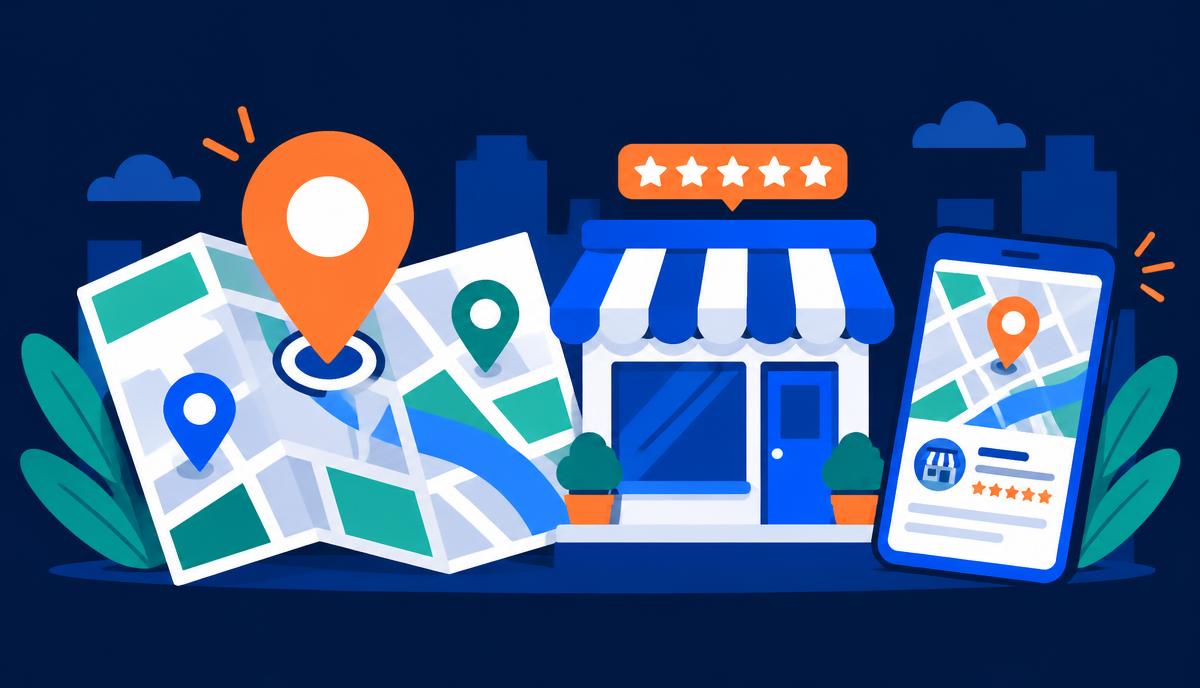
For local trades such as plumbers, locksmiths, and electricians, visibility on Google Maps is no longer just a luxury; it is the primary way modern customers find help during an emergency or for planned maintenance. When a homeowner searches for a professional 'near me', they are usually looking for an immediate solution. Google Maps dominates these search results, providing a geographical context that helps users decide which local business to trust based on distance, reputation, and availability.
Your Business Profile is the foundation
Everything on Google Maps starts with a complete, accurate Google Business Profile. This digital storefront acts as the repository for all the information Google uses to determine where and when your business should appear. You must ensure you select the most relevant primary category, such as 'Plumber' or 'Emergency Locksmith', and include all secondary services you offer. An accurate service area or physical address is vital, as is a verified phone number and up-to-date opening hours.
- Select the most specific primary category for your trade
- Upload high-resolution photos of recent jobs and liveried vans
- Link directly to a landing page that matches your service offering
- Ensure your phone number is clickable and tracked for performance
- Update holiday opening times well in advance to avoid customer frustration
Reviews do much of the selling
In the trades industry, trust is the most valuable currency. Reviews on your Google Business Profile do much of the selling for you. Potential customers often look at the average star rating and the quantity of reviews before even reading the description of your services. A consistent flow of new, positive feedback signals to both Google and the customer that your business is active, reliable, and provides a high standard of workmanship.
- Ask every satisfied customer for a review before leaving the site
- Provide a direct link or QR code to make the review process effortless
- Reply to every review promptly to demonstrate active customer service
- Address negative feedback without emotion, offering to resolve the issue privately
- Never buy or fake reviews, as this risks permanent suspension of the profile
Paid visibility on Maps
Google Ads can show your business in the Maps results with a promoted pin or a sponsored listing when you link your Business Profile to your Google Ads account and enable location assets. These ads appear at the very top of the Maps results, often marked with a 'Sponsored' label, giving you an immediate advantage over competitors who rely solely on organic ranking. This is particularly effective for trades businesses in highly competitive urban areas where organic competition is fierce.
Managing Service-Area Businesses
If you travel to customers — which is the case for most locksmiths, plumbers, and electricians — you should set a service area and hide your physical address rather than inventing a shopfront. Many tradespeople work from home or a central depot that is not open to the public. Google accommodates this by allowing you to define the postcodes or towns you serve. This ensures you appear in searches within those areas without misleading customers into visiting your home.
Step-by-step optimisation for local search
To improve your chances of appearing in 'near me' searches, you must adopt a methodical approach to profile maintenance. Start by auditing your current information to ensure it is perfectly synchronised with your website. Google looks for consistency in your 'NAP' data (Name, Address, Phone number) across the entire web. If your website lists one number and your Maps profile another, it can hurt your credibility in the eyes of the search engine.
Next, focus on content. Regularly posting updates to your Google Business Profile about recent projects, new equipment, or seasonal maintenance tips can keep your profile fresh. Use the 'Products' or 'Services' sections to list every specific task you perform, such as 'emergency leak repair' or 'consumer unit upgrades'. This granular detail helps the search engine match your profile to specific, long-tail search queries that your competitors might be missing.
- Verify your business location through the official Google process
- List all individual services with detailed descriptions
- Add frequently asked questions to the Q&A section of your profile
- Upload new photos weekly to show consistent business activity
- Ensure your website is mobile-friendly, as most Maps users are on smartphones
What to measure for success
Measuring the success of your Google Maps efforts requires looking beyond simple vanity metrics. It is not enough to know how many people saw your pin; you need to know how many of those views resulted in actual business. Google provides detailed insights within the Business Profile dashboard that show how users interacted with your listing. By tracking these metrics over time, you can see the direct impact of your advertising spend and profile updates.
Focus on the actions that represent a real lead. For trades, the most important metric is often 'Phone Calls'. You can see when these calls occurred and whether they came from an ad or an organic search. Website clicks and direction requests are also valuable indicators of intent. Ultimately, the most important data point is the conversion rate from an enquiry to a booked job, which requires you to cross-reference your Google data with your own internal booking system or CRM.
- Track total calls generated directly from the profile and from ads
- Monitor direction requests and website clicks as indicators of intent
- Review which specific search terms triggered your profile appearance
- Determine which of those contacts became confirmed, booked jobs
- Analyse the peak times for enquiries to better manage staff availability
Common mistakes to avoid
One of the most frequent errors trades businesses make is 'keyword-stuffing' the business name. Adding words like 'Best Plumber London' to your actual business name might seem like a clever way to rank higher, but it is a direct violation of Google’s terms and often leads to profile suspension. Stick to your legal business name to maintain a professional and compliant presence. Similarly, having out-of-date hours, especially during bank holidays, can lead to negative reviews from customers who tried to call and found no one available.
Another pitfall is running Maps ads without having a system in place to answer the phone. If you are paying for premium visibility, every missed call is a wasted marketing investment. Ensure that your team is ready to handle an influx of enquiries, particularly during the hours your ads are scheduled to run. Finally, never create several profiles for the same business in an attempt to dominate a single area; Google prefers a single, high-quality profile over multiple thin ones, and duplicates will likely be merged or removed.
- Never add extra keywords to your business name field
- Keep your hours accurate, including temporary closures or holiday breaks
- Consolidate your presence into one strong profile per physical location
- Ensure someone is always available to answer calls during ad run times
- Avoid using stock photos; use original images of your actual team and work
More articles
 What Are Google Local Services Ads, and Are They Worth It for Trades?
Google Local Services Ads are ads at the top of Google for verified tradespeople, where you pay per lead rather than per click. They are worth it mainly for businesses that pass verification, answer the phone quickly and keep good reviews.
 Call Tracking for Trades: From Phone Call to Job Profit, and Back to Google Ads
You know how much profit each call brought by linking the call to the job in your job system and calculating profit after materials, labour and travel. Then send that value back to Google as an offline conversion so the campaign learns to bring more profitable jobs.
- How to Set Up and Update a Google Business Profile: A Guide for Trades
You create a Google Business Profile by searching for your business name or going to business.google.com, setting your service areas and verifying, usually by video. You update it from Google Search or the Google Maps app.
 How to Get Your Trade Business Listed in Local Directories (UK Guide)
Get listed in local directories using the same business name, address and phone number everywhere, starting with the most important directories in your country and trade. Consistent listings help customers and Google trust the business, without paying for promises.
- How to Run Google Ads Alongside Local Services Ads on One Budget (and What to Expect)
Combine the two by letting Local Services Ads capture leads at a per-lead price while a search campaign covers services and areas they do not. Split one monthly budget by demand for each job type, and expect results to improve gradually rather than on day one.
 What Do You Need for Local Services Ads? Requirements and Job Types by Trade
Before a Local Services Ads campaign, prepare the licence and insurance documents Google requires for your trade, your service areas, opening hours and a list of job types. This preparation shortens verification and prevents leads for work you do not do.
 What Do Chat Ads Look Like? ChatGPT Ads Examples for Trades
Chat ads look like a short card marked 'Sponsored' below an answer, with a headline, one line of text and a button. A good chat ad answers exactly the question asked in the conversation, as the trade examples on this page show.
 AI receptionist for law firms: answering every enquiry without missing a client
An AI receptionist answers a law firm's calls when the team is in court, in meetings or closed, collects initial-check details and books a consultation. It gives no legal advice, and urgent matters are transferred straight to a solicitor.
 AI voice agent for clinics: bookings and calls when the front desk is busy
An AI voice agent for clinics books and reschedules appointments when the front desk is busy or closed, within the calendar rules the clinic sets. It gives no medical advice, and urgent calls are passed to a person or emergency services.
 How to Save Money on Google Ads and Paid Advertising
You save money on paid advertising by giving each campaign one clear goal, blocking searches that never bring customers and measuring real enquiries rather than clicks. Start with small tests and move budget only to what has proven itself.
- Google Ads Best Practices: What to Do in Every Campaign
Every Google Ads campaign should start with working conversion tracking, keywords that match the service and a landing page that answers the search exactly. After launch, review search terms weekly and decide monthly what to scale and what to stop.
 Common Google Ads Mistakes (and How to Avoid Them)
The most common Google Ads mistakes are running without conversion tracking, matching keywords too broadly, sending everyone to the homepage and judging results too early. You avoid them with organised tracking, negative keywords and a landing page for each service.
- How Do ChatGPT Ads Work, and Are They Worth It?
ChatGPT Ads are clearly labelled ads shown below ChatGPT answers, managed through OpenAI's Ads Manager and targeted by conversation context rather than exact keywords. They are worth testing when your service comes up in those conversations, the format is available in your country and you measure real leads.
- How Much Does Google Ads Cost for a Small Business?
There is no fixed price: what Google Ads costs a small business depends on competition in your trade and area, how well the campaign is built and how management is charged. Media spend and management fees are separate, so understand both before you start.
 Are Bing Ads Worth It for Small Businesses?
Yes, for many small businesses Bing Ads are worth it, because Microsoft Advertising reaches an additional audience, often at a lower cost per click than Google. If you already run Google Ads you can import your campaigns and start on a small budget.
 How to Advertise a Locksmith Business and Get More Emergency Calls
A locksmith gets more emergency calls by appearing at the top of Google and Maps in their service area, with ads that invite a call and a phone that is answered immediately. Keep emergency work separate from planned jobs and block do-it-yourself searches.
 Google Ads for Plumbers: How to Get More Plumbing Jobs
Plumbers get more jobs from Google by splitting campaigns by job type — emergencies versus planned work — and targeting each to their service area. Block irrelevant searches and measure which calls actually became jobs.
 How to Get More Electrician Jobs with Google Ads
Electricians get more jobs from Google Ads by running separate campaigns for urgent faults, planned installations and commercial clients. Ads that show credentials, plus tracking of real enquiries, show where the budget should go.
 Advertising for Heating and Air Conditioning Businesses: Planning Around the Seasons
Heating and air conditioning businesses advertise year-round by planning budgets around the seasons, increasing spend in hot or cold spells and reducing it in quiet periods. Separate repairs from installations, and keep existing customers through service and maintenance plans.
 What Happened to Google Guaranteed? The New Google Verified Badge Explained
Google Guaranteed has been replaced by the Google Verified badge, and Local Services Ads are gradually moving inside Google Ads. You still pay per lead, and you still need to pass verification to get the badge.
Let's Find the Right Approach for Your Business
Tell us what you're trying to achieve and we'll suggest a sensible starting point.