Tips & guides
How to Run Google Ads Alongside Local Services Ads on One Budget (and What to Expect)
Combine the two by letting Local Services Ads capture leads at a per-lead price while a search campaign covers services and areas they do not. Split one monthly budget by demand for each job type, and expect results to improve gradually rather than on day one.
Last updated:
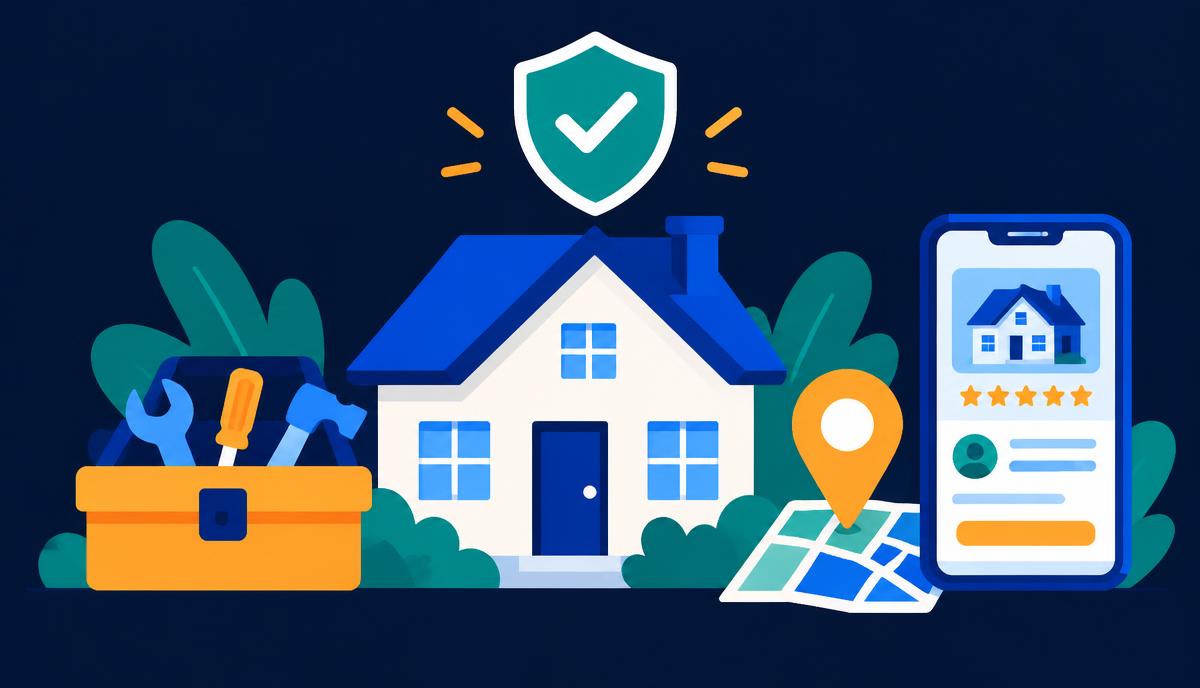
Introduction: two ad types, one budget
A trade business advertising on Google can now appear in two different places at the top of the results. The first is Local Services Ads, with Google's verification badge, where you pay per enquiry (lead) rather than per click. The second is a standard Google Ads search campaign, where you pay per click and choose your own keywords, ad text and landing page.
Many locksmiths, plumbers, electricians and heating engineers wonder which one to pick. In practice, the better question isn't "which is better?" but "how do I split one budget between both without wasting it?". This guide explains how to set the two up together, how to manage them from a single monthly budget, and what you can realistically expect in the first months. If you're new to Local Services Ads, start with our guide to Local Services Ads and then come back here.
Why combine them instead of choosing one
Each channel has a different strength. Local Services Ads appear very high, look trustworthy thanks to verification and reviews, and you only pay when a customer actually gets in touch. On the other hand, control is limited: Google decides when to show you, and there's no landing page of your own.
A search campaign provides exactly what's missing: your choice of keywords such as "emergency locksmith" or "boiler repair", ad schedules, precise locations, wording you write yourself and a page on your site explaining why to choose you. With both running, you get more presence on the searches that matter, and you can compare them and move money to whichever brings more profitable jobs.
Step 1: build the foundations before spending a pound
Before launching, check three things. First, a complete, up-to-date Google Business Profile, with the same name, phone number and service area as your website. Second, a page on your site for each main service, with a prominent phone number and a tap-to-call button on mobile. Third, conversion tracking. Without call and form tracking you can't tell which channel brings customers, so you can't split the budget sensibly.
For Local Services Ads you'll need to pass Google's verification and set your job types and service areas. Availability and requirements vary by country and trade, so check what's actually available to your business before planning around it.
Step 2: build the search campaign to complement, not compete
The common mistake is building a search campaign that competes head-to-head with Local Services Ads on the same broad searches. Instead, use the search campaign to cover what Local Services Ads don't cover well.
In practice: ad groups per specific service (lock changes, drain unblocking, consumer unit upgrades, boiler servicing), keywords with clear buying intent, and negative keywords that filter out job seekers, training courses and "how to do it yourself" searches. Set the location to match exactly where you really travel, and schedule ads for hours when someone answers the phone. An ad showing at 2am when nobody picks up is money thrown away.
Step 3: managing a single budget across both channels
Decide one monthly amount you're willing to invest in Google advertising, and treat it as one pie. At the start, with no data yet, split it so both channels can gather enough enquiries to learn from. Giving one of them too little won't produce enough information to decide anything.
In Local Services Ads you set a weekly budget and pay per lead. In the search campaign you set a daily budget. Every few weeks, check how many enquiries came from each channel, how many were relevant and how many turned into jobs. Move money gradually towards the channel that brings more profitable work, not necessarily the one bringing more calls. Remember that Local Services Ads let you dispute irrelevant leads, so review them regularly.
Expected results: what to realistically expect
Nobody can guarantee a specific number of enquiries, and anyone promising figures before seeing your market deserves caution. Results depend on how many people search for the service in your area, how many competitors advertise, how many reviews you have, how quickly you answer the phone, and the season (heating in winter, cooling in summer).
What you can expect: the first weeks are for learning. Google learns your business, and you learn which services and areas bring good enquiries. After a few weeks of data you have a basis for decisions: drop keywords that don't work, strengthen profitable services and adjust the split between channels. The measure that matters isn't cost per click or cost per lead on its own, but how much profit each job leaves compared with what you paid to win it.
How to work out whether it pays
Take a one-month period. Count the jobs won from each channel and, for each job, work out the profit left after materials, labour hours and travel. Divide what you spent on each channel by the number of jobs it produced, and compare that with the average profit per job. If profit is clearly higher than cost, there's room to grow. If not, check the basics first: are you answering every call, is the price you quote on the phone right, and is the area set correctly?
If you use job management software, connect it to your tracking so Google learns which enquiries became profitable jobs. We cover this in detail in our guide to call tracking and job profit.
Common mistakes to avoid
Running a campaign without conversion tracking. Counting every call as a success, including suppliers and existing customers. Setting an area that's far too wide "so you don't miss out". Not answering the phone while the ads are running. Stopping everything after one week because "nothing happened". And leaving Local Services Ads without managing reviews, when reviews are a central part of whether you get shown.
When to get help
If you don't have time to review leads every week, aren't sure how to set up call tracking, or are already spending money without knowing what it brings, it's time to talk to someone who does this every day. We specialise in advertising for locksmiths, plumbers, electricians and heating engineers, and we're happy to review your account and suggest a split that fits your budget. You can leave your details on our contact page.
More articles
 What Do You Need for Local Services Ads? Requirements and Job Types by Trade
Before a Local Services Ads campaign, prepare the licence and insurance documents Google requires for your trade, your service areas, opening hours and a list of job types. This preparation shortens verification and prevents leads for work you do not do.
 What Do Chat Ads Look Like? ChatGPT Ads Examples for Trades
Chat ads look like a short card marked 'Sponsored' below an answer, with a headline, one line of text and a button. A good chat ad answers exactly the question asked in the conversation, as the trade examples on this page show.
 AI receptionist for law firms: answering every enquiry without missing a client
An AI receptionist answers a law firm's calls when the team is in court, in meetings or closed, collects initial-check details and books a consultation. It gives no legal advice, and urgent matters are transferred straight to a solicitor.
 AI voice agent for clinics: bookings and calls when the front desk is busy
An AI voice agent for clinics books and reschedules appointments when the front desk is busy or closed, within the calendar rules the clinic sets. It gives no medical advice, and urgent calls are passed to a person or emergency services.
 How to Save Money on Google Ads and Paid Advertising
You save money on paid advertising by giving each campaign one clear goal, blocking searches that never bring customers and measuring real enquiries rather than clicks. Start with small tests and move budget only to what has proven itself.
- Google Ads Best Practices: What to Do in Every Campaign
Every Google Ads campaign should start with working conversion tracking, keywords that match the service and a landing page that answers the search exactly. After launch, review search terms weekly and decide monthly what to scale and what to stop.
 Common Google Ads Mistakes (and How to Avoid Them)
The most common Google Ads mistakes are running without conversion tracking, matching keywords too broadly, sending everyone to the homepage and judging results too early. You avoid them with organised tracking, negative keywords and a landing page for each service.
- How Do ChatGPT Ads Work, and Are They Worth It?
ChatGPT Ads are clearly labelled ads shown below ChatGPT answers, managed through OpenAI's Ads Manager and targeted by conversation context rather than exact keywords. They are worth testing when your service comes up in those conversations, the format is available in your country and you measure real leads.
- How Much Does Google Ads Cost for a Small Business?
There is no fixed price: what Google Ads costs a small business depends on competition in your trade and area, how well the campaign is built and how management is charged. Media spend and management fees are separate, so understand both before you start.
 Are Bing Ads Worth It for Small Businesses?
Yes, for many small businesses Bing Ads are worth it, because Microsoft Advertising reaches an additional audience, often at a lower cost per click than Google. If you already run Google Ads you can import your campaigns and start on a small budget.
 How to Advertise a Locksmith Business and Get More Emergency Calls
A locksmith gets more emergency calls by appearing at the top of Google and Maps in their service area, with ads that invite a call and a phone that is answered immediately. Keep emergency work separate from planned jobs and block do-it-yourself searches.
 Google Ads for Plumbers: How to Get More Plumbing Jobs
Plumbers get more jobs from Google by splitting campaigns by job type — emergencies versus planned work — and targeting each to their service area. Block irrelevant searches and measure which calls actually became jobs.
 How to Get More Electrician Jobs with Google Ads
Electricians get more jobs from Google Ads by running separate campaigns for urgent faults, planned installations and commercial clients. Ads that show credentials, plus tracking of real enquiries, show where the budget should go.
 Advertising for Heating and Air Conditioning Businesses: Planning Around the Seasons
Heating and air conditioning businesses advertise year-round by planning budgets around the seasons, increasing spend in hot or cold spells and reducing it in quiet periods. Separate repairs from installations, and keep existing customers through service and maintenance plans.
 What Happened to Google Guaranteed? The New Google Verified Badge Explained
Google Guaranteed has been replaced by the Google Verified badge, and Local Services Ads are gradually moving inside Google Ads. You still pay per lead, and you still need to pass verification to get the badge.
 How to Advertise on Google Maps and Show Up in 'Near Me' Searches
To show up in 'near me' searches on Google Maps you need a complete, verified Business Profile, genuine reviews and local ads linked to that profile. The profile decides whether you appear; the ads help you appear when competition is high.
- What Are Google Local Services Ads, and Are They Worth It for Trades?
Google Local Services Ads are ads at the top of Google for verified tradespeople, where you pay per lead rather than per click. They are worth it mainly for businesses that pass verification, answer the phone quickly and keep good reviews.
 Call Tracking for Trades: From Phone Call to Job Profit, and Back to Google Ads
You know how much profit each call brought by linking the call to the job in your job system and calculating profit after materials, labour and travel. Then send that value back to Google as an offline conversion so the campaign learns to bring more profitable jobs.
- How to Set Up and Update a Google Business Profile: A Guide for Trades
You create a Google Business Profile by searching for your business name or going to business.google.com, setting your service areas and verifying, usually by video. You update it from Google Search or the Google Maps app.
 How to Get Your Trade Business Listed in Local Directories (UK Guide)
Get listed in local directories using the same business name, address and phone number everywhere, starting with the most important directories in your country and trade. Consistent listings help customers and Google trust the business, without paying for promises.
Let's Find the Right Approach for Your Business
Tell us what you're trying to achieve and we'll suggest a sensible starting point.