Tips & guides
How to Set Up and Update a Google Business Profile: A Guide for Trades
You create a Google Business Profile by searching for your business name or going to business.google.com, setting your service areas and verifying, usually by video. You update it from Google Search or the Google Maps app.
Last updated:
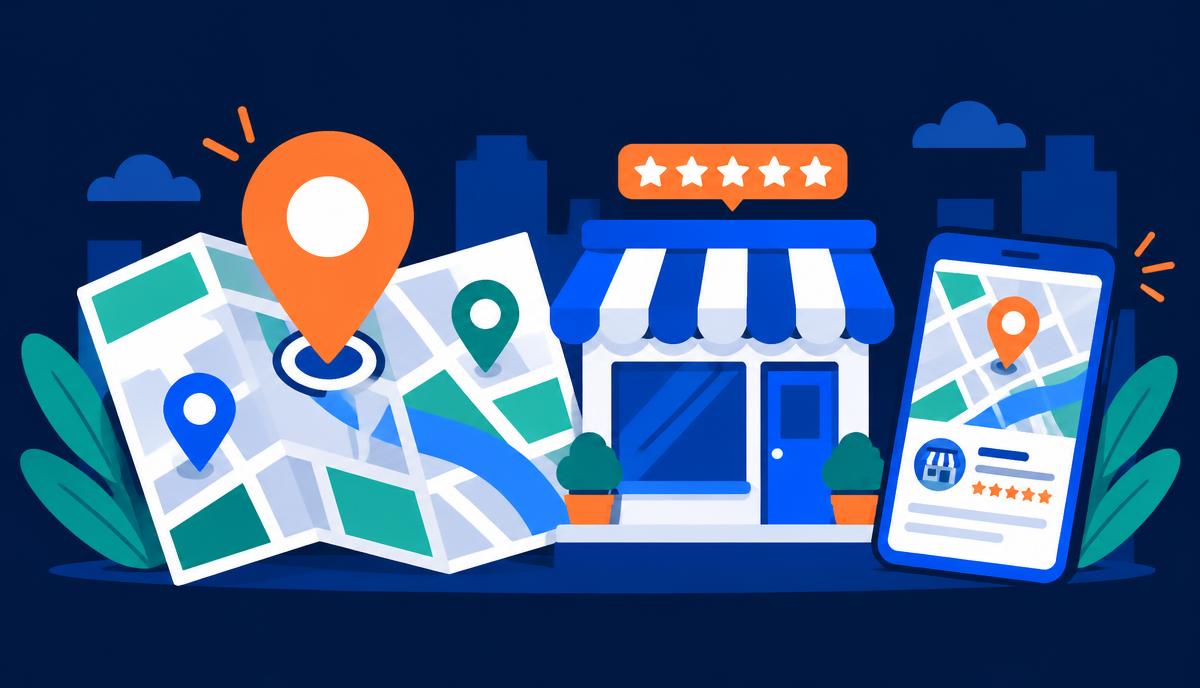
Introduction: why your Google Business Profile comes first
When someone is locked out, finds a leak under the sink or loses power, they do not browse websites. They type "locksmith near me", "emergency plumber" or "electrician in Queens" into Google and look first at the map and the three businesses listed under it. What decides whether your business appears there is mostly your Google Business Profile (formerly Google My Business).
The profile is free, and it is your business card on Google: name, trade, service area, phone number, hours, photos and reviews. This guide explains how to create a profile, how to get it verified and where exactly you update it today, with practical examples for a locksmith, a plumber and an electrician.
Before you start: storefront or service-area business
Most tradespeople do not have customers walking into a shop. They travel to the customer. Google calls this a service-area business. In that case you must not show your home address as if it were a shop. Instead you hide the address and list the towns and areas you cover.
If you also have premises that customers genuinely visit during set hours, for example a locksmith with a key-cutting counter, you can show the address and add service areas too. The rule is simple: show an address only if customers come to it.
Step 1: create the profile
- Go to google.com/business and sign in with a Google account that belongs to the business, not a personal one that could be closed or leave with an employee
- Type your business name. If Google suggests an existing business with that name, a listing may already exist and you can claim it instead of creating a new one
- Use your real business name, as it appears on your truck, invoices and signage. Adding words like "Cheap 24hr Locksmith London" breaks Google's rules and can get the profile suspended
- Choose your primary category. It is one of the settings that most affects which searches you appear for. Add secondary categories only for work you genuinely do
- Say whether customers visit a location; if not, choose service areas
- Add a direct phone number that is answered, and your website
Step 2: set sensible service areas
Google lets you add up to 20 service areas, by town, city or ZIP code. List the places you really reach in reasonable time, not the whole country. An over-wide area does not lift you in distant places; it only brings calls from areas that are not worth traveling to.
Note that a service area does not guarantee appearing in every town on the list. The searcher's distance from the business still matters. What helps you grow into more areas is reviews that mention the town, photos of jobs there and pages on your website about the area.
Step 3: verify the profile
An unverified profile is limited, and you usually cannot fully edit it. Google chooses the verification method by business type, and for trades that travel to customers it is now usually a short video recording.
The video shows, in one continuous take with no editing, that the business is real and yours: where you work from, your truck with signage if you have it, your tools and equipment, and a document showing you run the business, such as an invoice or registration. The exact requirements change, so read and follow the instructions Google shows during verification. After you submit, Google reviews it, and the answer usually arrives within a few days.
To avoid suspension: do not create several profiles for one business, do not use a virtual office address, and do not change the name, address and category on the same day straight after verification.
Step 4: where you update the profile today
Many tradespeople look for the old Google My Business app. It was discontinued. Today you manage the profile directly inside Google:
In Google Search: sign in to the business's Google account and search for your business name or "my business". A management panel appears above the results with buttons such as "Edit profile", "Add update", "Photos" and "Reviews".
In the Google Maps app: tap your profile picture and then your business profile, or open the "Business" tab. From there you can reply to reviews, upload photos from the job and update hours. It is the handiest tool for someone who spends the day in the truck.
At business.google.com: useful when you manage several profiles or need to give access to a manager or agency. Add them as managers rather than sharing your password.
Practical example: a locksmith's profile
- Primary category: Locksmith. Secondary only if relevant, such as safe services
- Services listed: lockouts, cylinder replacement, changing locks after moving home, vehicle entry, smart lock installation
- Hours: if you genuinely answer at night, set 24 hours. If not, don't. A customer left unanswered at 2am will write a review
- Photos: the truck with signage, your tool kit, a newly fitted cylinder, a door after a lock change. No stock photos
- Example update: "Just moved? It's worth changing the locks. We cover Queens, Brooklyn and Long Island"
Practical example: a plumber's profile
- Primary category: Plumber
- Services: leak detection, drain cleaning, replacing faucets and toilets, water heater repair and replacement, pipework
- Business description: in plain sentences, what you do, where, and whether you take urgent call-outs. No keyword lists
- Before-and-after photos: a replaced pipe, a tidy under-sink cabinet after a repair, leak-detection kit in use
- Example update: "Before winter, have your water heater and outside pipes checked. Call to book"
Practical example: an electrician's profile
- Primary category: Electrician
- Services: fault finding, panel upgrades, service upgrades, EV charger installation, lighting and sockets
- Trust: mention in the description that you are licensed, and your license type, only if it is true
- Photos: a neat electrical panel after the job, an installed EV charger, the truck and equipment
- Example update: "Buying an electric car? Before a charger goes in, the home supply needs checking. We do both"
A steady routine that brings calls
- Reviews: ask every happy customer for a review as the job finishes, and send a direct link by text. Never buy reviews or offer discounts in exchange
- Reply to every review, including negative ones, politely and briefly
- Upload real photos from jobs regularly
- Post an update now and then: a job you finished, a seasonal tip or a new service
- Set special hours for public holidays so customers don't call when you're closed
- Check the performance panel to see which searches brought views and calls
Next step: advertising on the map
A well-kept profile is the foundation, but in competitive searches it is not always enough on its own. You can link the profile to a Google Ads account to appear with an ad on the map and, where available, to Local Services Ads, where you pay per lead. Our articles on Google Maps advertising and Local Services Ads explain both.
If you would like us to review your profile and tell you what to fix, or connect it to a campaign, leave an inquiry on our contact page.
More articles
 How to Get Your Contractor Business Listed in Local Directories
Get listed in local directories using the same business name, address and phone number everywhere, starting with the most important directories in your country and trade. Consistent listings help customers and Google trust the business, without paying for promises.
 How to Run Google Ads With Local Services Ads on One Budget (and What to Expect)
Combine the two by letting Local Services Ads capture leads at a per-lead price while a search campaign covers services and areas they do not. Split one monthly budget by demand for each job type, and expect results to improve gradually rather than on day one.
 What Do You Need for Local Services Ads? Requirements and Job Types by Trade
Before a Local Services Ads campaign, prepare the licence and insurance documents Google requires for your trade, your service areas, opening hours and a list of job types. This preparation shortens verification and prevents leads for work you do not do.
 What Do Chat Ads Look Like? ChatGPT Ads Examples for Contractors
Chat ads look like a short card marked 'Sponsored' below an answer, with a headline, one line of text and a button. A good chat ad answers exactly the question asked in the conversation, as the trade examples on this page show.
 How to Save Money on Google Ads and Paid Advertising
You save money on paid advertising by giving each campaign one clear goal, blocking searches that never bring customers and measuring real inquiries rather than clicks. Start with small tests and move budget only to what has proven itself.
- Google Ads Best Practices: What to Do in Every Campaign
Every Google Ads campaign should start with working conversion tracking, keywords that match the service and a landing page that answers the search exactly. After launch, review search terms weekly and decide monthly what to scale and what to stop.
 Common Google Ads Mistakes (and How to Avoid Them)
The most common Google Ads mistakes are running without conversion tracking, matching keywords too broadly, sending everyone to the homepage and judging results too early. You avoid them with organized tracking, negative keywords and a landing page for each service.
- How Do ChatGPT Ads Work, and Are They Worth It?
ChatGPT Ads are clearly labelled ads shown below ChatGPT answers, managed through OpenAI's Ads Manager and targeted by conversation context rather than exact keywords. They are worth testing when your service comes up in those conversations, the format is available in your country and you measure real leads.
- How Much Does Google Ads Cost for a Small Business?
There is no fixed price: what Google Ads costs a small business depends on competition in your trade and area, how well the campaign is built and how management is charged. Media spend and management fees are separate, so understand both before you start.
 Are Bing Ads Worth It for Small Businesses?
Yes, for many small businesses Bing Ads are worth it, because Microsoft Advertising reaches an additional audience, often at a lower cost per click than Google. If you already run Google Ads you can import your campaigns and start on a small budget.
 How to Advertise a Locksmith Business and Get More Emergency Calls
A locksmith gets more emergency calls by appearing at the top of Google and Maps in their service area, with ads that invite a call and a phone that is answered immediately. Keep emergency work separate from planned jobs and block do-it-yourself searches.
 Google Ads for Plumbers: How to Get More Plumbing Jobs
Plumbers get more jobs from Google by splitting campaigns by job type — emergencies versus planned work — and targeting each to their service area. Block irrelevant searches and measure which calls actually became jobs.
 How to Get More Electrician Jobs with Google Ads
Electricians get more jobs from Google Ads by running separate campaigns for urgent faults, planned installations and commercial clients. Ads that show credentials, plus tracking of real inquiries, show where the budget should go.
 HVAC Advertising: Planning Campaigns Around the Seasons
Heating and air conditioning businesses advertise year-round by planning budgets around the seasons, increasing spend in hot or cold spells and reducing it in quiet periods. Separate repairs from installations, and keep existing customers through service and maintenance plans.
 What Happened to Google Guaranteed? The New Google Verified Badge Explained
Google Guaranteed has been replaced by the Google Verified badge, and Local Services Ads are gradually moving inside Google Ads. You still pay per lead, and you still need to pass verification to get the badge.
- How to Advertise on Google Maps and Show Up in 'Near Me' Searches
To show up in 'near me' searches on Google Maps you need a complete, verified Business Profile, genuine reviews and local ads linked to that profile. The profile decides whether you appear; the ads help you appear when competition is high.
- What Are Google Local Services Ads, and Are They Worth It for Trades?
Google Local Services Ads are ads at the top of Google for verified tradespeople, where you pay per lead rather than per click. They are worth it mainly for businesses that pass verification, answer the phone quickly and keep good reviews.
 Call Tracking for Trades: From Phone Call to Job Profit, and Back to Google Ads
You know how much profit each call brought by linking the call to the job in your job system and calculating profit after materials, labour and travel. Then send that value back to Google as an offline conversion so the campaign learns to bring more profitable jobs.
Let's Find the Right Approach for Your Business
Tell us what you're trying to achieve and we'll suggest a sensible starting point.